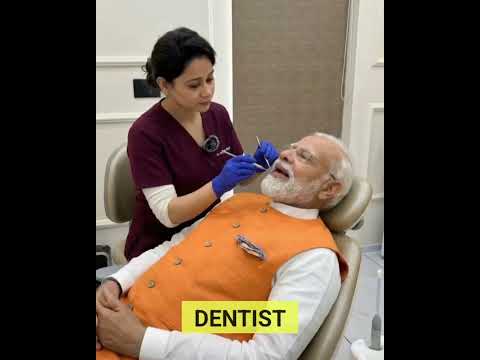
Start by watching the example video to understand the scene, character, movement, camera work, lighting, and overall visual style the prompt is designed to create.
Click the Copy Prompt button to copy the complete video prompt to your clipboard.
Open your preferred AI video tool, such as Google Veo / Flow, Seedance, Kling, Runway, or another compatible video generator, and paste the prompt into the generation field.
Run the prompt using the recommended settings first. This gives you a baseline result before making creative changes.
Once you have the first result, experiment with details such as the character, clothing, environment, camera movement, lighting, weather, actions, colors, and mood.
Small changes can produce significantly different results, so adjust one or two elements at a time when trying to maintain the original look.
For social media content, 9:16 vertical is generally the preferred format for platforms such as TikTok, Instagram Reels, YouTube Shorts, and Facebook Reels.
A strong video prompt describes more than just what should appear on screen.
It gives the AI information about the subject, environment, movement, camera behavior, lighting, timing, composition, and visual style. Together, these details help the model understand what should happen throughout the clip.
Good video prompts also describe actions and motion, rather than treating the scene like a static photograph.
For example, instead of simply describing a woman standing on a street, a video prompt might explain how she walks toward the camera, how her clothing moves naturally, how the camera follows her, and how the background changes as she moves.
Useful for creating cinematic scenes with detailed descriptions, realistic movement, and strong visual storytelling.
A useful option for creating dynamic AI video scenes from detailed prompts and experimenting with movement and cinematic styles.
Well suited for character movement, cinematic scenes, and image-to-video workflows.
Useful for creative video generation, motion experiments, and transforming visual concepts into short clips.
Different video models interpret the same prompt differently. Try the same prompt across multiple tools to compare movement, realism, camera behavior, and consistency.
Keeping the same character consistent across multiple clips can be challenging. Use these techniques to improve results:
Repeat important identifying details such as:
Avoid changing these details between prompts unless the character is intentionally changing.
When your video tool supports image references, start with a clear reference image of the character. Use the same reference whenever possible across different scenes.
Build a short, reusable character description and include it in every related prompt. This helps establish the same visual identity across multiple generations.
If the character is supposed to appear in the same scene or sequence, describe the exact outfit, colors, shoes, accessories, and hairstyle consistently.
Changing the camera angle, environment, clothing, lighting, and character appearance at the same time can make consistency more difficult. Change only what you actually want to change.
Tell the model what the subject is doing and how the action develops.
Use descriptions such as:
If you want a realistic result, clearly specify the camera behavior.
Examples include:
Avoid combining too many complicated camera movements in a short clip.
For realistic videos, include details about natural body movement, facial expressions, clothing movement, hair movement, shadows, and environmental motion.
If you want a realistic shot, avoid asking the model to change locations, characters, outfits, or environments unnecessarily during a short clip.
More words do not automatically produce better videos. Focus on the elements that actually matter: subject + action + environment + camera + lighting + style.
Add cinematic lighting, controlled camera movement, shallow depth of field, realistic shadows, subtle film grain, natural motion, and professional cinematography.
Add realistic smartphone footage, natural handheld movement, imperfect framing, authentic lighting, subtle camera shake, and documentary-style realism.
Use vertical 9:16 framing, strong subject placement, clear action, engaging composition, and visual movement designed for short-form video.
Add realistic nighttime lighting, city lights, reflections, practical light sources, atmospheric shadows, and cinematic depth.
If your AI video tool supports image-to-video, you can often get better character and scene consistency by first creating a strong reference image.
Then use the image as the starting frame and describe only the movement, camera motion, and environmental changes you want to see.
This can be especially useful when creating multiple clips featuring the same character.
This prompt can be useful for styles such as cinematic, realistic, fashion, storytelling, action, lifestyle, selfie, smartphone, travel, and social media video.
Explore more ready-to-use AI video prompts, watch the example videos, copy the prompts, and experiment with different video generators to create your own versions.